
Classic
Considered · corporate
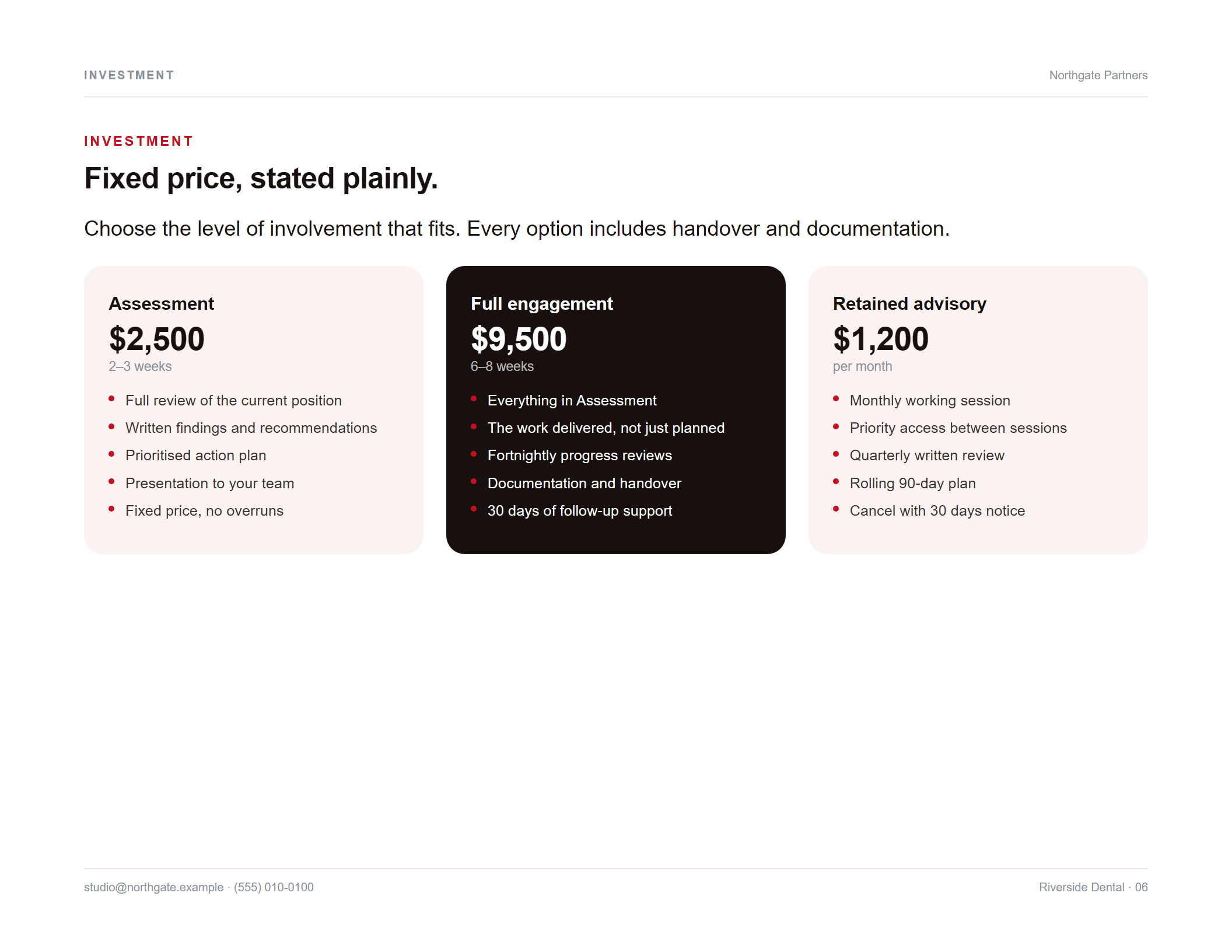
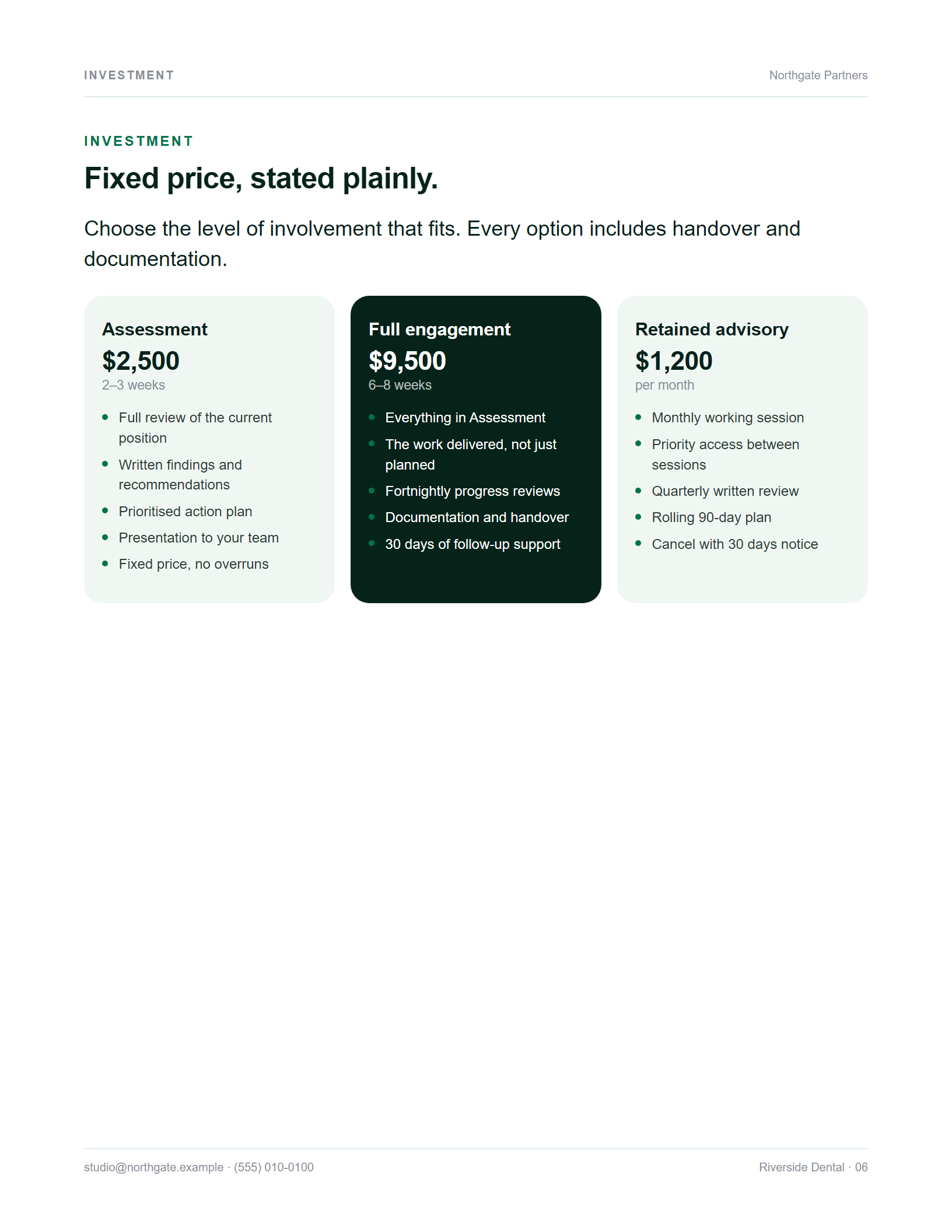
Warm and contained. Filled panels, soft corners, even three-up grids. Reads as a business document somebody thought about.
Price as three plan cards

Proposal generator · one file · one payment
Buy it once, download it, open it in your browser — on a computer, a tablet or your phone. It runs on your own machine: no account, no subscription, no server, nothing to install.
Three properly designed themes. Portrait or landscape. 22 typefaces built in. A PDF at the end that looks like a studio made it.
The demo is the full application. Exported PDFs carry a watermark.
Landscape · 11 × 8.5in
Wide pages read like a deck, which is how proposals are actually opened now — on a laptop, in a meeting, shared over a call. Every layout gets its full measure, and the three themes each use that width differently.
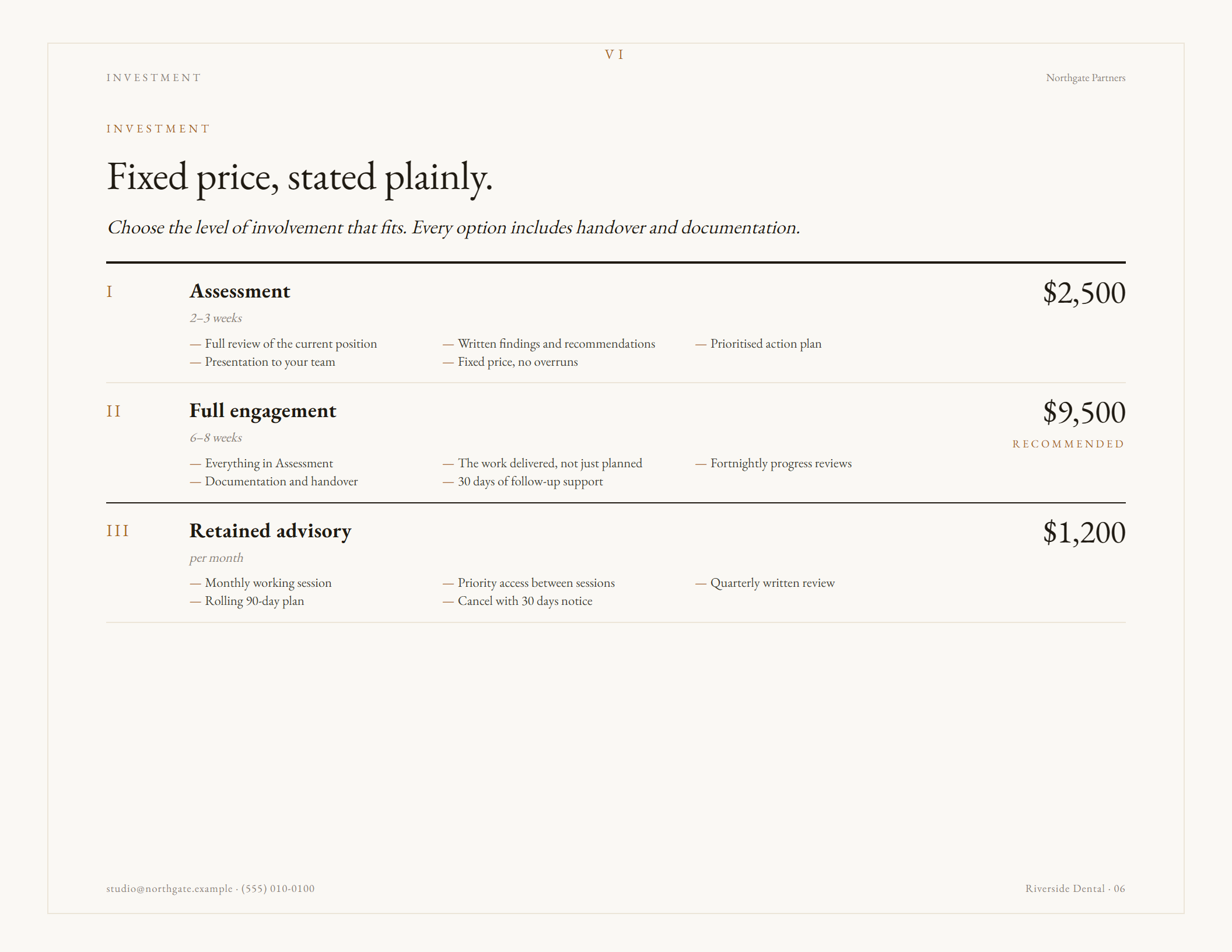
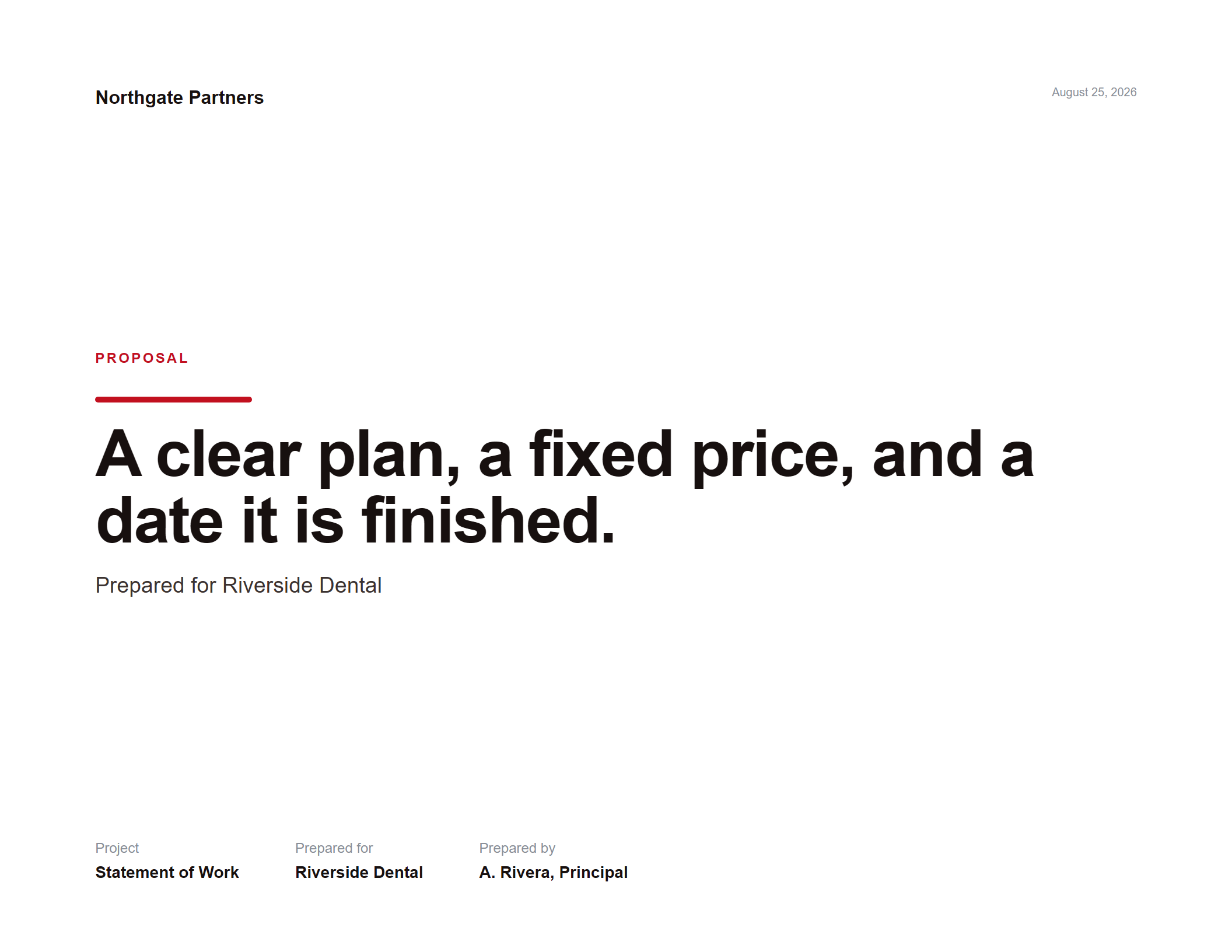
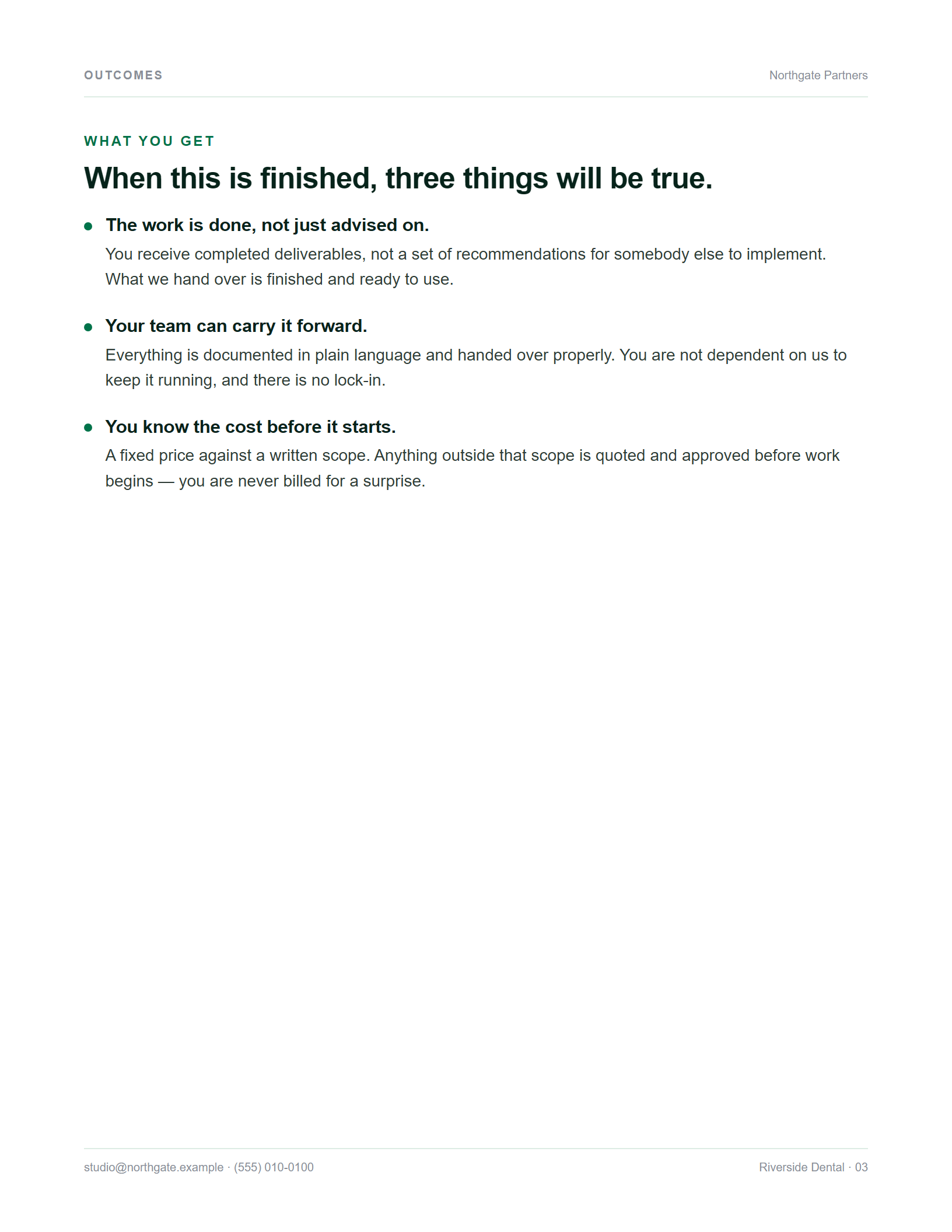
Screenshots from the app. Nothing retouched.
Portrait · 8.5 × 11in
Ordinary letter paper — nothing to rotate, no page-setup to explain to a client. And it isn't landscape turned on its side: every multi-column layout in all three themes was re-cut by hand for the narrower measure.
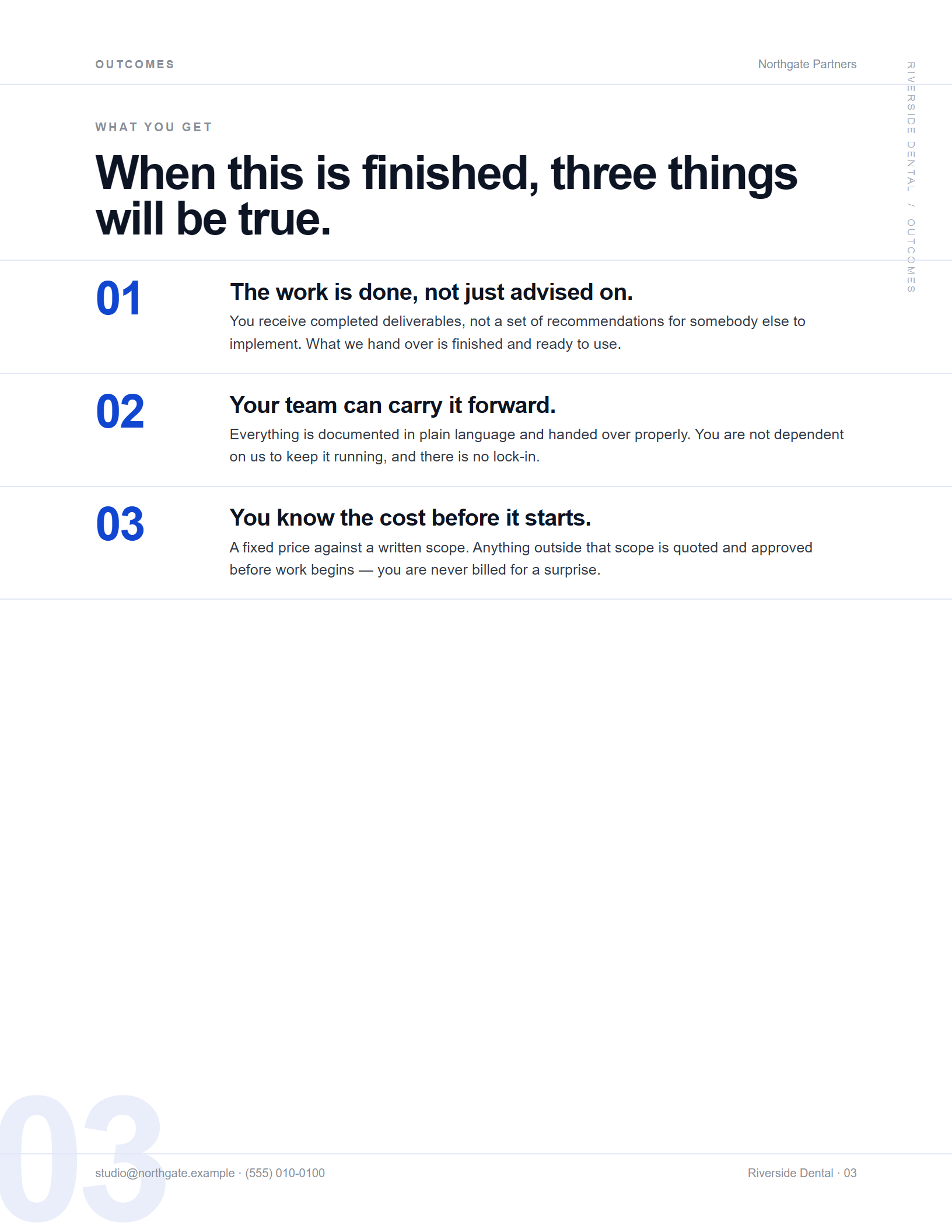
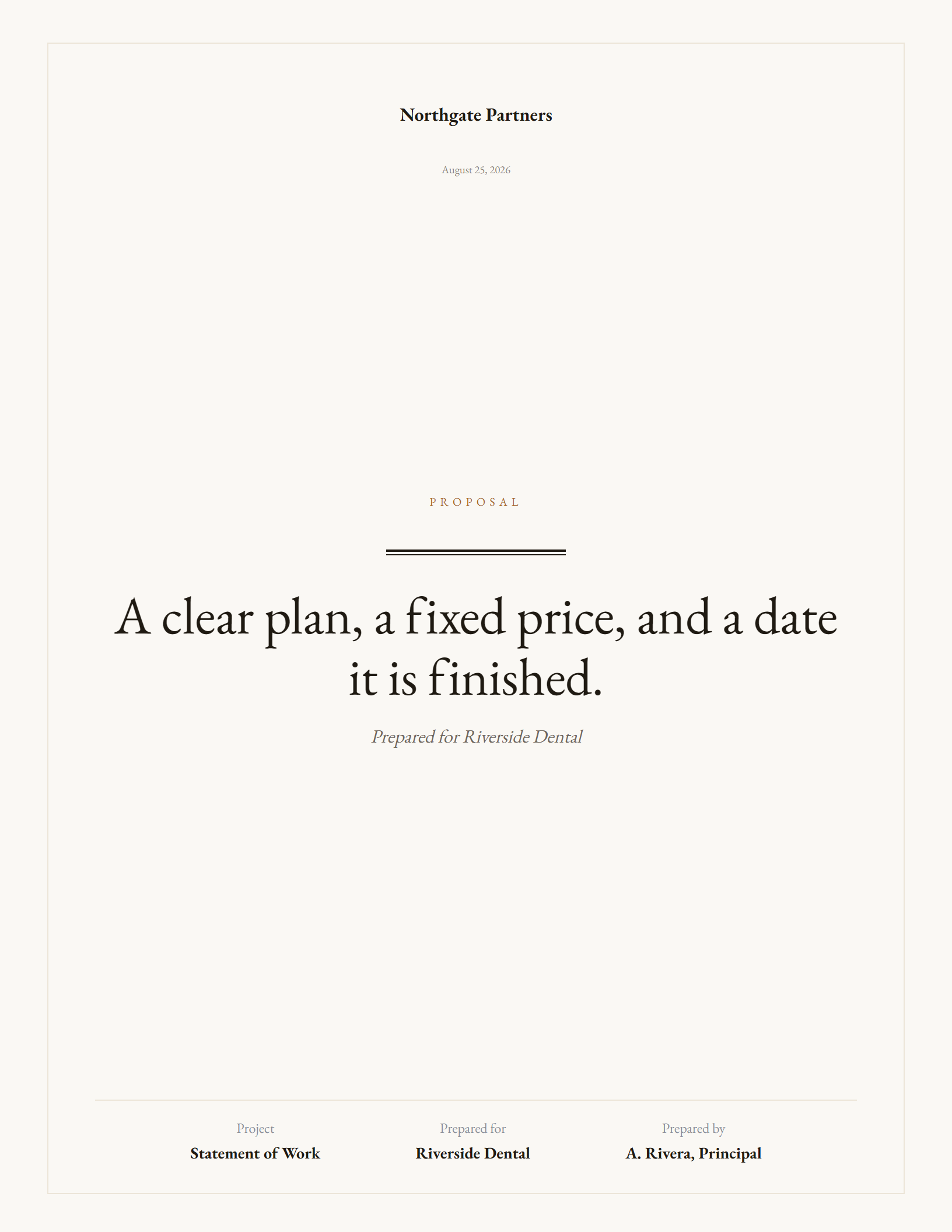
Ten seconds each
No narration, nothing sped up for effect except where it says so. These are screen captures of the application you can try above.
Swipe for more →
The difference
Renting
$39/mo
$468 the first year.
$2,340 after five.
Stop paying and it stops working.
Owning
$29
$29 the first year.
$29 after five.
Stop paying and nothing happens.
The $39 is an illustration, not a competitor's price — subscription proposal tools vary and you should check them yourself. The point is the shape of the line, not the number. There is no licence check here, no activation and no expiry: the file works the day you buy it and the same way in ten years.
The themes
Not three colourways. Each theme rebuilds the composition — its own grid, its own type scale, and three genuinely different ways of presenting price.
Considered · corporate
Warm and contained. Filled panels, soft corners, even three-up grids. Reads as a business document somebody thought about.
Price as three plan cards
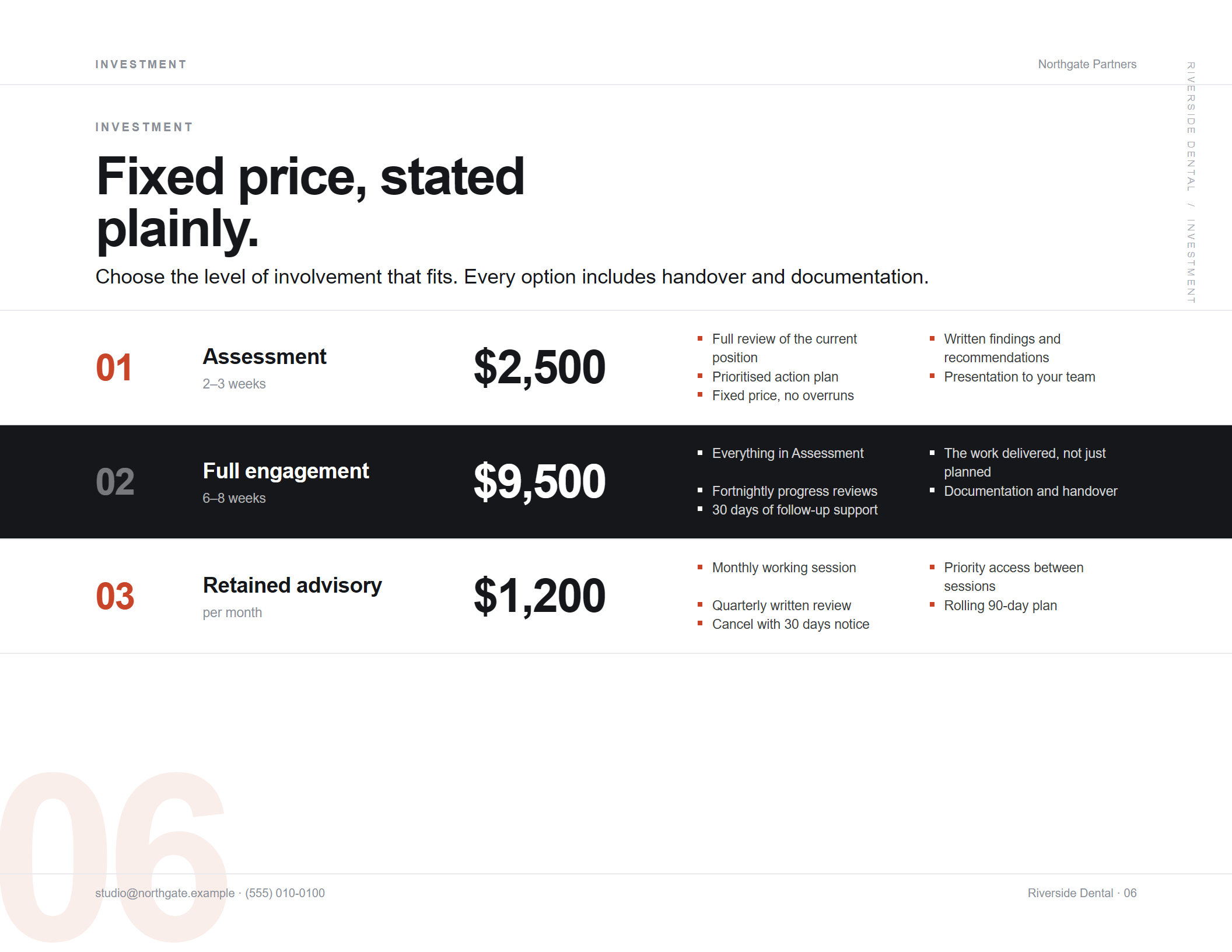
Editorial · art-directed
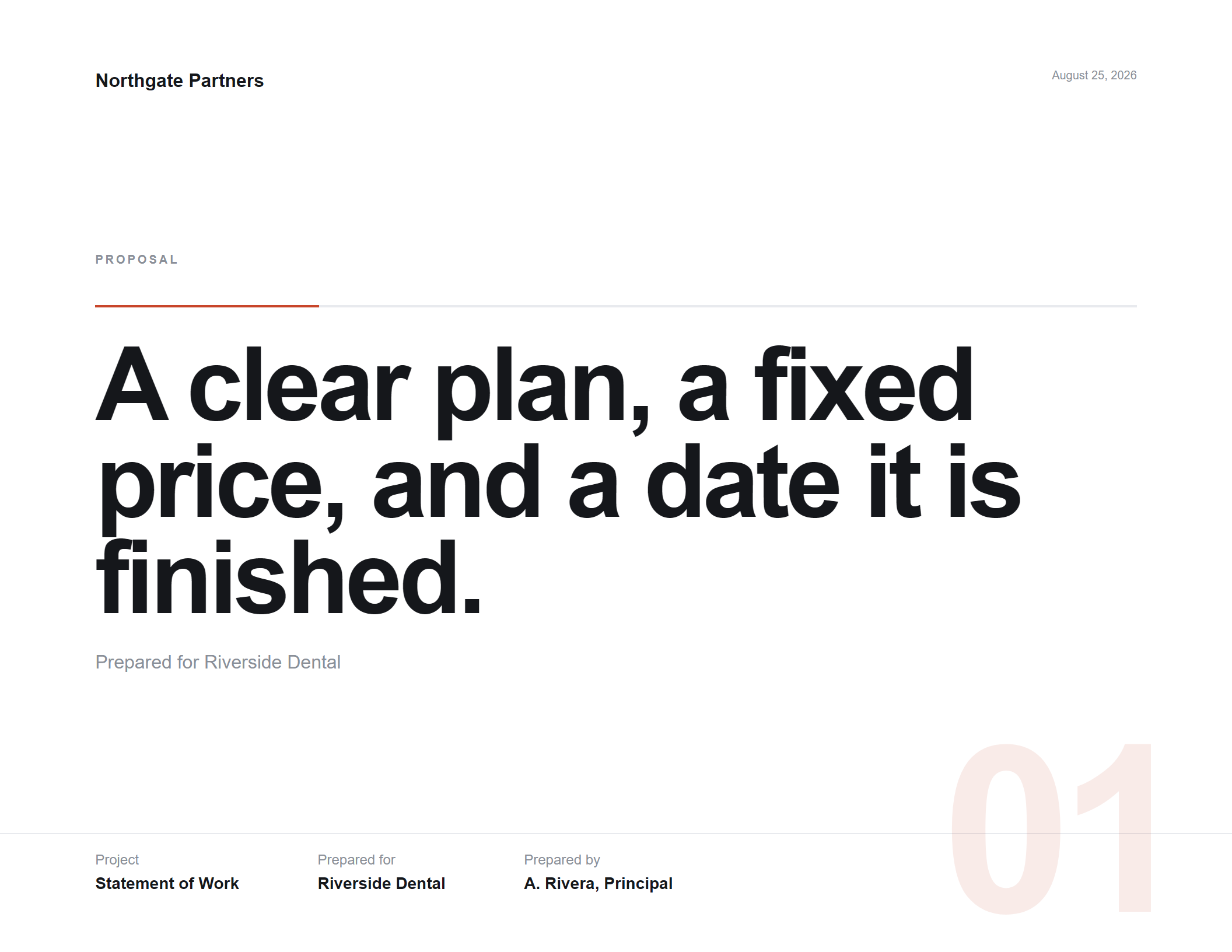
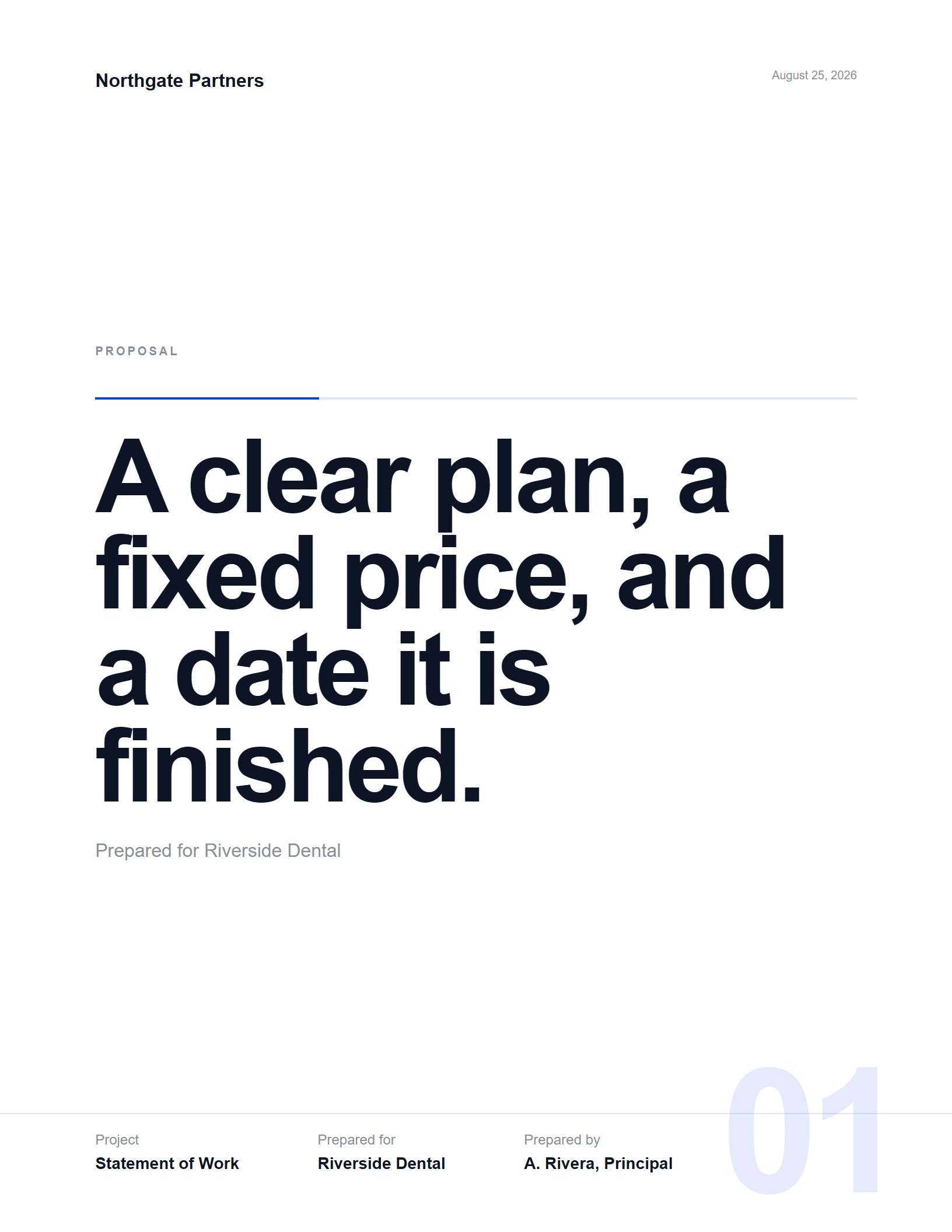
Hairlines running clean off the page edge, oversized sequence numerals cropped at the margin, violent scale contrast. No cards anywhere.
Price as a horizontal ladder
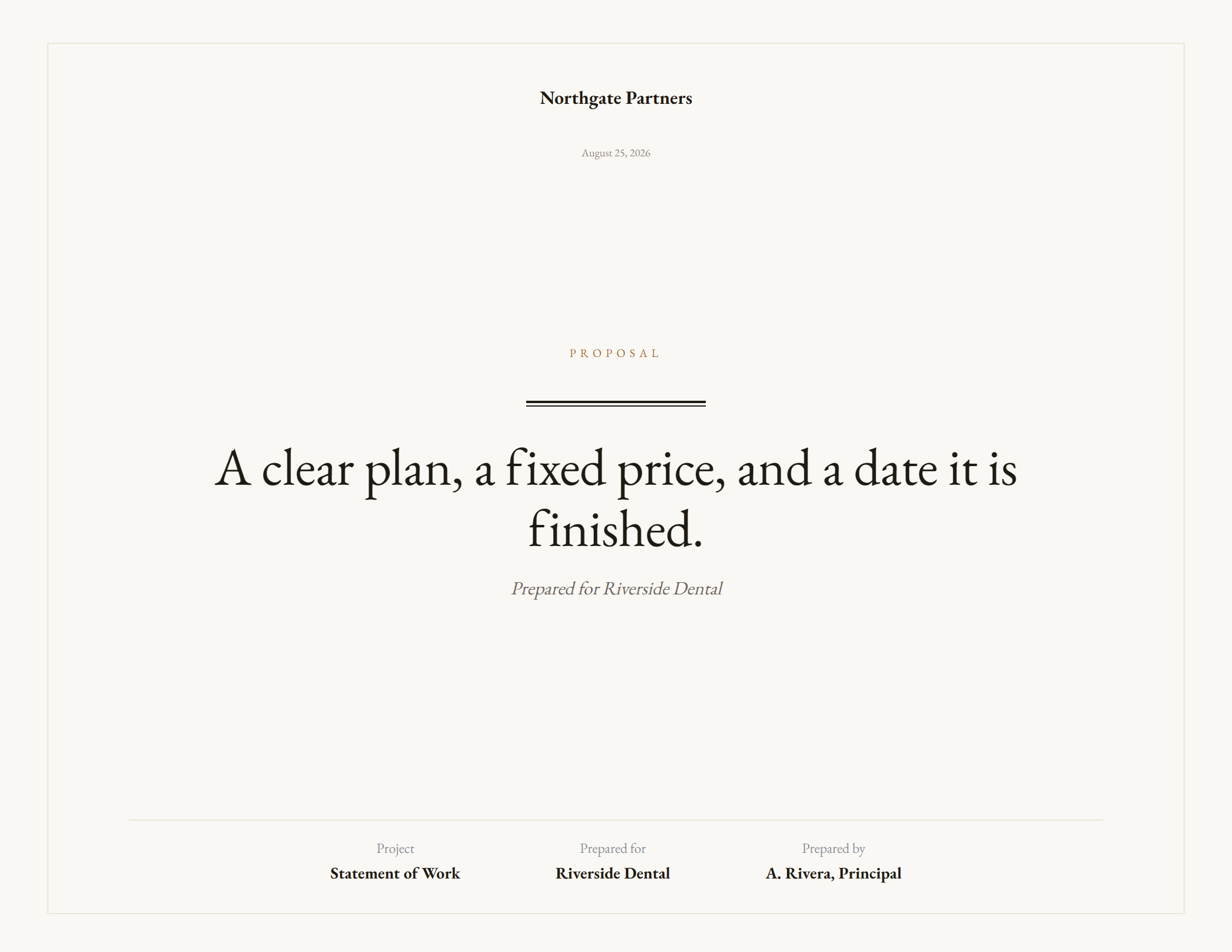
Classical · printed
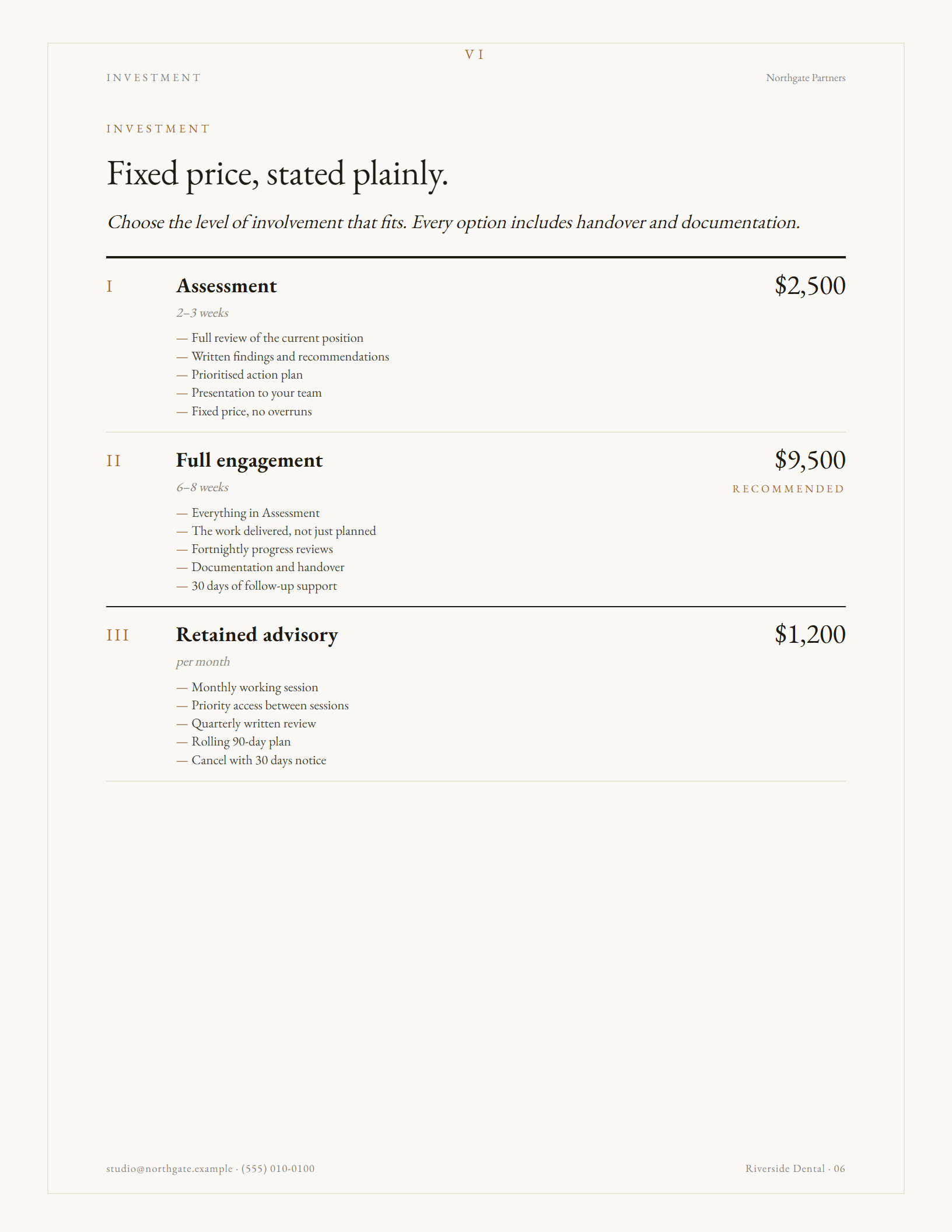
Warm paper, a hairline frame, centred title pages, small-caps labels and roman numerals. Built for law, finance, architecture and advisory work.
Price as a ruled schedule
Every sample below came out of the app you can try — no touch-ups, no hand editing.
One switch in the panel changes the whole document.
It bends to your work
Most proposal templates give you a fixed skeleton and dare you to make your engagement fit it. This one is built to be pulled apart — add what your project actually needs, delete what it doesn't, and put the pages in your own order.
Every list in the document grows. Add outcomes, phases, timeline steps, pricing options, inclusions and terms — one click each, no limit. Four phases instead of two, nine clauses instead of six, a fifth pricing tier: all fine.
Hover any item and remove it. A two-phase engagement shouldn't have to invent a third, and a fixed-fee job shouldn't carry a retainer card it doesn't offer.
The thing that makes a proposal feel art-directed rather than typed: a full-page colour break carrying one line. Add as many as you want, anywhere in the document, in ink, accent, slate or forest — or drop in your own photograph and the scrim is applied for you so the type stays readable. This is what turns a document into a presentation.
Drag pages into the sequence that tells your story. Switch off any page you don't want without deleting it, and turn it back on later.
Click any text on the page and type. Headlines, body copy, plan names, prices, clauses — all of it. The supplied wording is a strong starting point, not a cage.
Everything above is in the demo — no signup, nothing to install.
How it works
One payment. The file downloads straight away — there's nothing to wait for and no account to set up.
Double-click. It opens in your browser like any page. No installer, no runtime, no admin rights.
Add your logo and details, choose a theme, then click any text on the page and type. Reorder or remove pages as you go.
Print to PDF from the browser. Fonts are embedded, so your client sees exactly what you designed.
Who it's for
Detail
Write too much and the page outlines in red and says so. It never silently clips your copy, which is how most templates quietly lose a paragraph.
22 open-licensed families ship inside the file. Browse 100+ more while online and the one you pick is stored permanently — your PDF can't fall back to Arial.
Upload a WOFF2, WOFF, TTF or OTF and the whole proposal sets in your brand face.
Change the accent colour and it reports the real ratio and whether it's safe for small text, so nothing ships unreadable.
Portrait isn't landscape rotated. Every multi-column layout in all three themes was re-cut by hand for the narrower measure.
Drag to reorder, switch any page off, add full-bleed colour spacer pages, and delete the plan, phase or clause you don't need.
Save a proposal as a project file and open it later. Your logo and chosen fonts travel inside it, so it opens the same on any machine.
Professional services and web design, each written as a complete proposal you can send after changing the names — or rewrite entirely.
Where your work lives
Because the application is a file rather than a service, there is no account holding your proposals and no server storing them.
Your proposals stay local. Text, logo, client details and prices are held in the file and your browser's own storage. They are never sent anywhere.
Two things do use the internet, and only if you choose. Browsing the extra Google Fonts fetches that font from Google. And there is an anonymous usage setting, switched off unless you turn it on, which reports only which theme, page shape, template and palette were used — never your text, your logo, your client's details or your IP address.
Everything else works with the connection off.
The demo isn't a tour or a video — it's the whole application, running in your browser right now. Build a real proposal in it, switch every theme, change the page shape, add and delete sections, and export the PDF. The only difference in the paid version is that the watermark is gone. Decide after you've used it, not before.
Price
No subscription, no seat count, no expiry. Use it on every proposal you write, for as long as you keep the file.
Questions
No. It's a one-time purchase. You pay once, download the file, and it's yours. There's no recurring charge and nothing to cancel.
No. The application has no login, no user record and no sign-up. You'll give an email address at checkout so the file can be sent to you, and that's all.
No. It's a single HTML file. Double-click it and your browser opens it.
Yes. Everything works with no connection. The only online feature is browsing the extra Google Fonts, and once you choose one it's stored inside your file.
Chrome, Edge, Firefox and Safari on Windows, macOS and Linux — and the same browsers on Android and iOS. Chrome and Edge give the most reliable PDF output.
Yes. On a narrow screen the options panel becomes a drawer you open from the bottom bar, the proposal fits the width of the screen, and every control is sized for a thumb rather than a mouse pointer.
Writing and editing work exactly as they do on a desktop. Saving the finished PDF is easiest from a computer — Chrome on Android and Safari on iOS can both do it, but the print step is fiddlier on a phone than it is on a laptop.
As many as you like. Save each one as a project file and reopen it whenever you need to — there's no limit and no per-document charge.
Every headline, paragraph, plan, price and clause is click-to-edit. You can add and delete items, reorder or remove whole pages, and change theme, colour and typeface at any point.
You get a download link straight away and the file arrives by email as well. Save it somewhere you'll find it — that file is the product.
Yes, including new themes, at no extra cost. Updates arrive as a new file; your saved project files open in it.
Yes — upload a WOFF2, WOFF, TTF or OTF. One thing worth checking: a licence to use a font isn't always a licence to embed it in a document you send out.
One payment · yours forever
$29
Checkout happens on the shop’s own secure page, and the download is yours the moment it clears.